⚙ PROJECT WHIMSICAL'S: Basic AI ⚙
CATEGORY: AI Design · Encounter Design
TYPE: Enemy AI State Machine
ENGINE: Unreal Engine
STATES: 5 Behaviour States
⚙ SYSTEM SUMMARY
Project Whimsical's Basic AI system is a reactive enemy behaviour framework built in Unreal Engine utilising Blueprints and Statetree.
It creates intelligent, escalating responses to player presence - from peaceful spline-based patrol to full combat engagement - using a layered detection and alertness model that rewards player stealth and punishes carelessness.
The Design Goal
The AI is designed to feel challenging and credible without being overwhelming.
Rather than binary "sees you / doesn't see you" switches, it uses a graduated alertness system with escalating meters that give players time to react, hide, or engage.
Every encounter can play out differently depending on the player's choices while adhering to various playstyles.
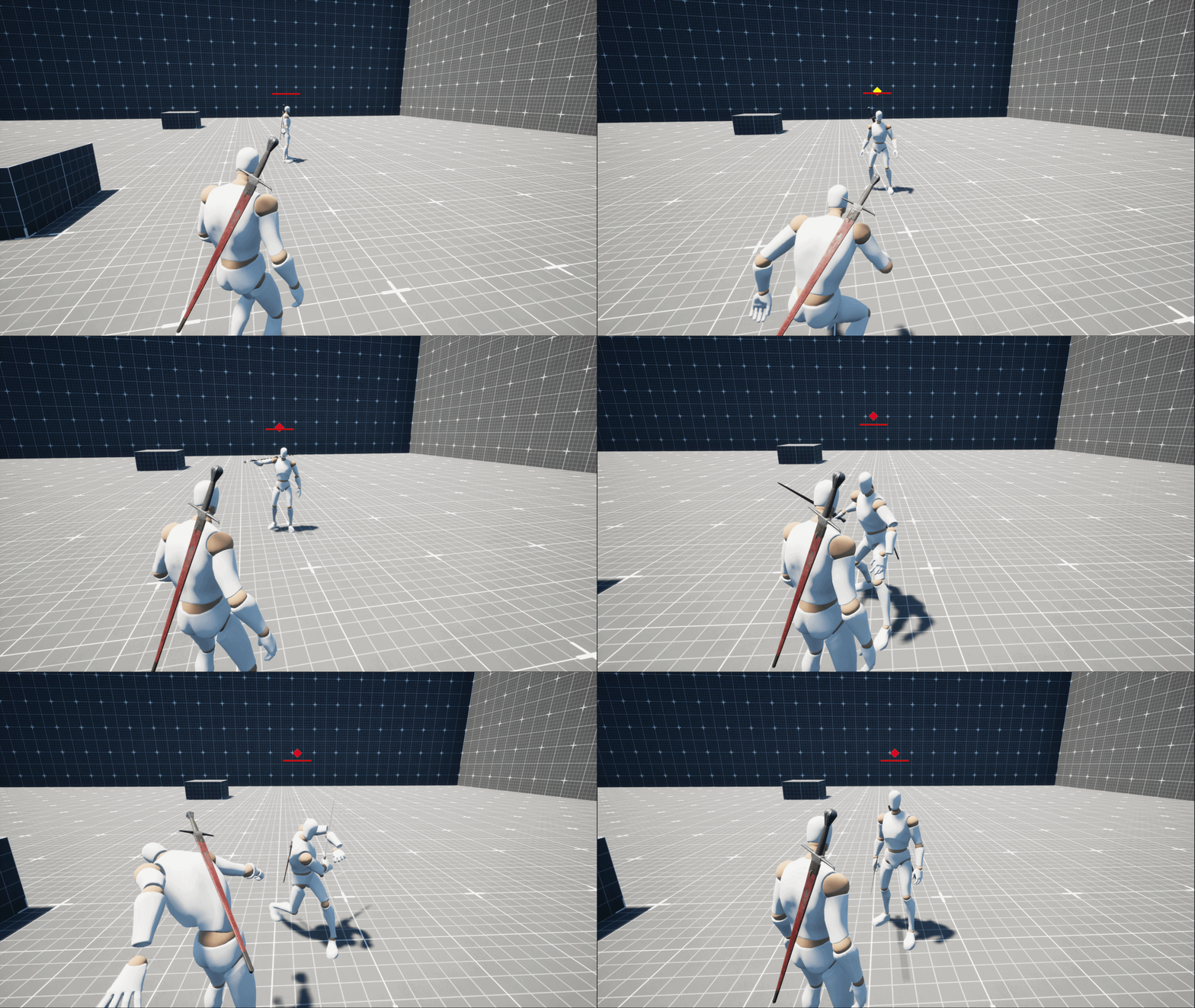
AI Complete

Full AI encounter
⚙ SYSTEM HIGHLIGHTS ⚙
🎮 CORE DESIGN FEATURES
🛤️
Spline Patrol
Each enemy is assigned a patrol spline, creating predictable but varied patrol routes. Players can observe and exploit patrol timing to navigate undetected.
📊
Graduated Alertness
Detection isn't instant. A two-stage meter system (Alert → Combat) gives players a narrow window to break line of sight and abort an encounter before it escalates.
📏
Distance-Scaled Detection
The closer the player is when spotted, the faster the Alert and Combat meters fill. Keeping distance buys time — closing in accelerates escalation. Players are rewarded for cautious, ranged observation.
🔍
Investigation Mode
If the player hides before the combat meter fills, the AI enters Investigation Mode and moves to the last known location - rewarding stealth but never letting the player feel completely safe.
⚔️
Dual Engagement Paths
Players can choose their approach: execute a stealth kill while the AI is unaware, or engage in direct combat once the encounter has escalated to full confrontation.
🔄
Patrol Return
If the player successfully hides and the alert meter drains to zero, the AI abandons investigation and returns to its assigned patrol route - closing the loop cleanly.
🧠
Last Known Location
The AI tracks and moves to the player's last seen position during investigation, making the hiding phase tense. Simply breaking line of sight isn't enough - timing matters.
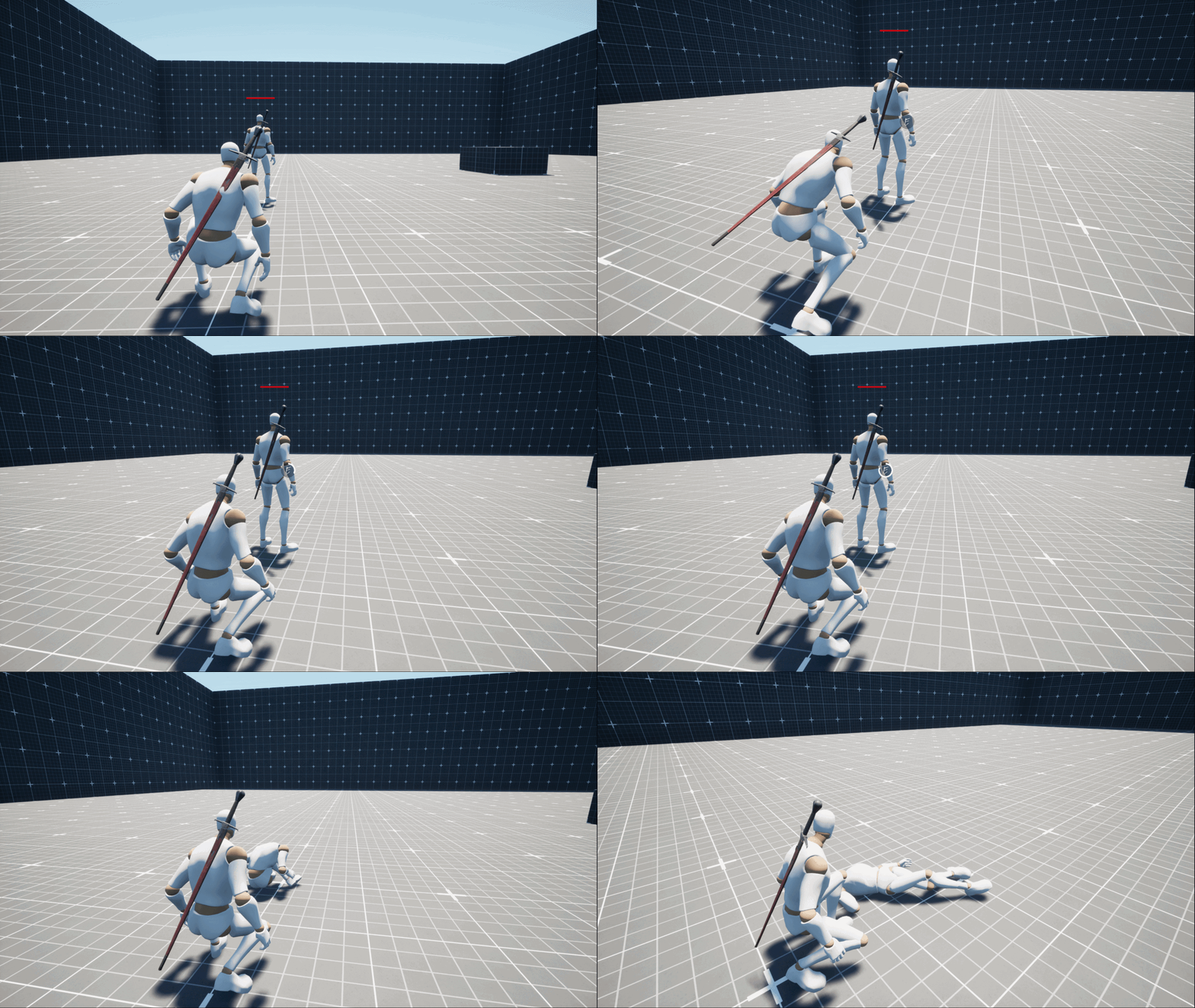
AI Stealth Kill

Stealth kill while AI is unaware
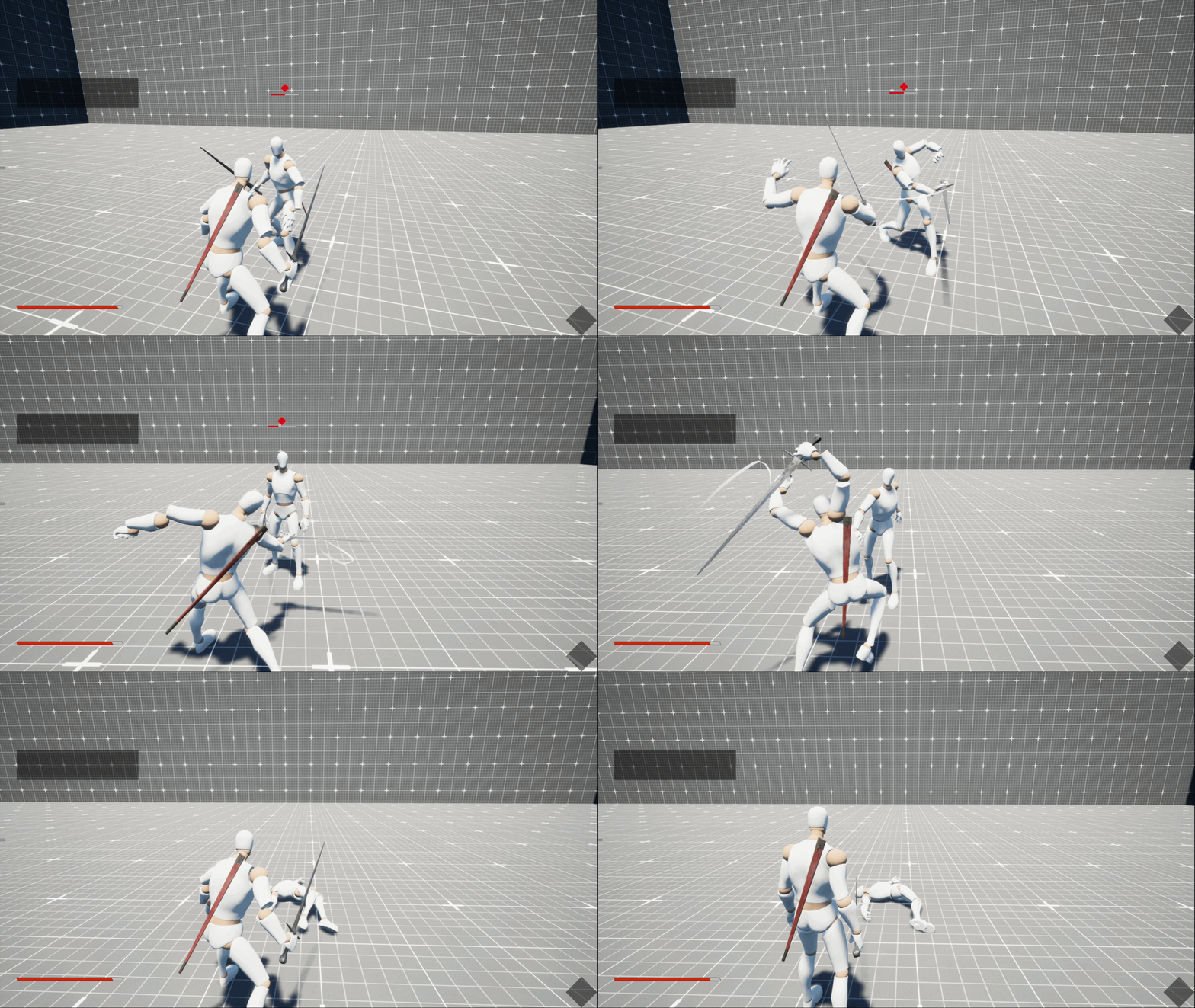
AI Combat Kill

Direct kill while AI is in combat
⚙ THE FIVE STATES ⚙
🗺️ STATE OVERVIEW
The AI operates across five distinct behavioural states, each with a clear trigger condition and purpose. Together they create a believable escalation arc from peaceful patrol to full aggression.
🚶
PATROL
Default State
HALT
First Detection
👁️
ALERT
Meter Filling
⚔️
COMBAT
Full Engagement
🔎
INVESTIGATE
Lost Target
⚙ TECHNICAL IMPLEMENTATION ⚙
🔧 HOW IT'S BUILT IN UNREAL ENGINE
The AI is implemented using Unreal Engine's State Tree system - a modern, data-driven behaviour framework. Rather than putting all logic into the State Tree itself, the system is intentionally kept modular: a dedicated custom AI component (BPC_AIBrain) owns all the state logic, while the State Tree simply reads from it and transitions accordingly.
🌳
State Tree
The State Tree defines the four top-level states -
PATROL, HALT, INVESTIGATE, COMBAT - each with child tasks that are executed with their own exit conditions. Transitions between states are handled by GLOBAL EVALUATORS of Statetree.
🧩
Custom AI Component (BPC_AIBrain)
A custom Blueprint component attached to the AI that owns all state data. Various details of AI Actor such as Patrol path, AI State, Investigation vector, etc. are stored here, keeping the State Tree clean and the logic centralised.
📋
Custom State Tree Tasks
Various custom STTs (State Tree Tasks) reads various AI variables and sets writes to StateTree. This bridges the external component's data into the State Tree's evaluation context.
⚖️
Gameplay Tags
Each State Tree branch uses a simple equality condition that compares the current AI State Enum value to the expected state.
When the enum changes (e.g. Idle → Halt), the State Tree automatically transitions to the matching branch whenever Gameplay Tag is sent to StateTree when the state is changed.
🗺️
Patrol - Next Patrol Point
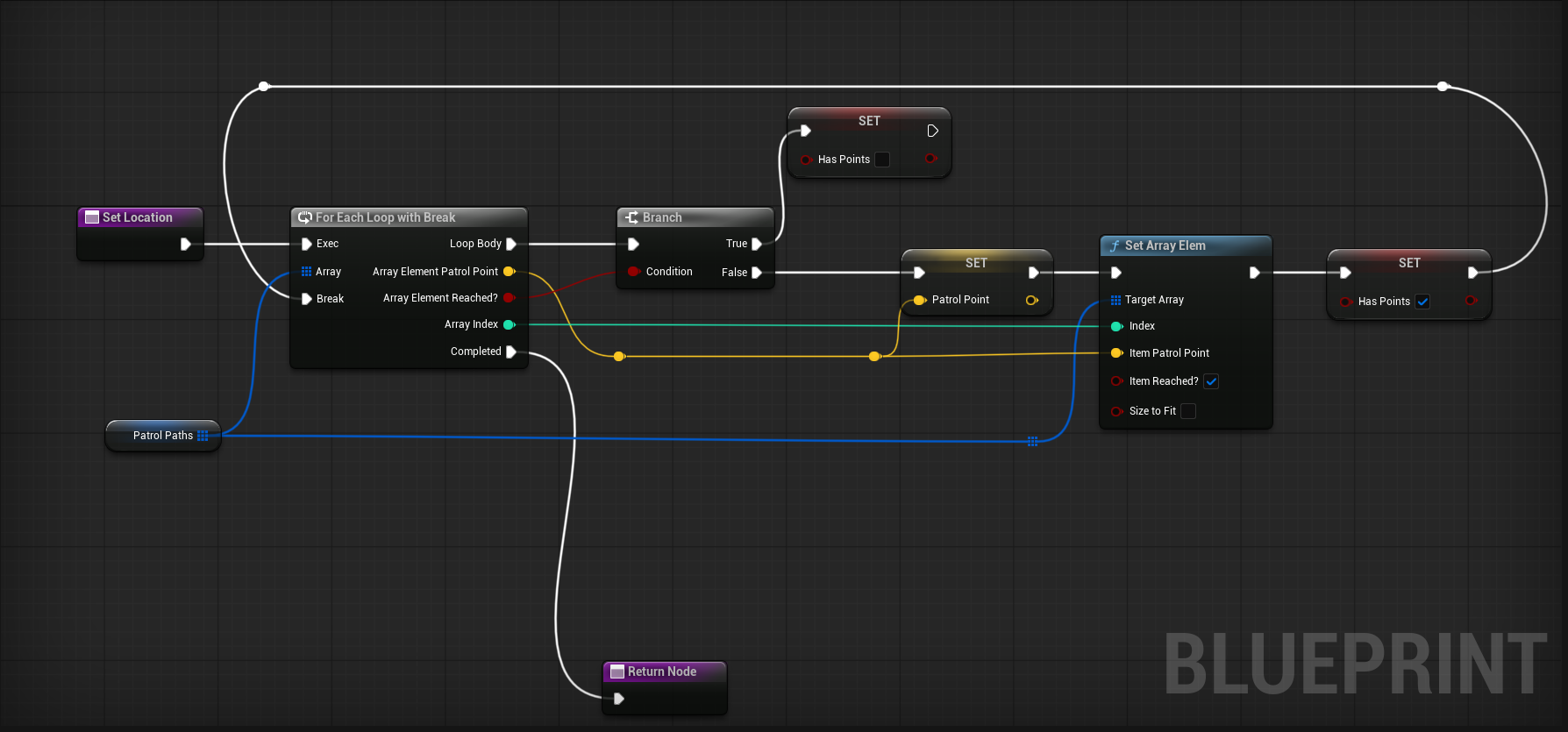
In the Patrol state, a Blueprint condition checks the AI State via BPC_AIBrain and calls a Next Patrol Point task to advance along the spline. A branch node evaluates the condition; True progresses the patrol, False loops back to Root to evaluate further.
⚔️
Combat - Unsheath & Chase
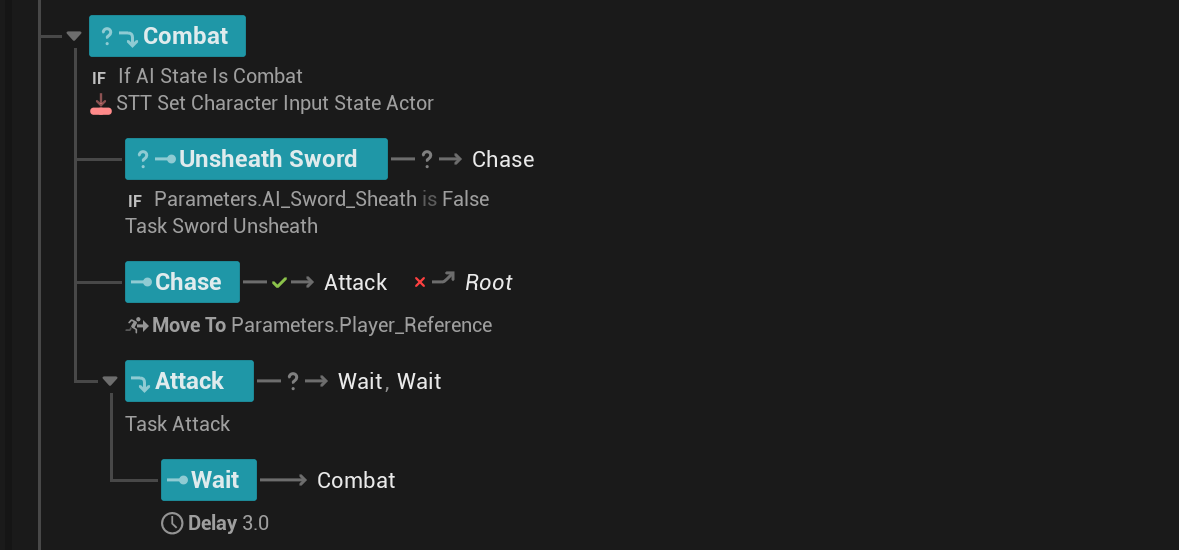
On entering Combat state, AI Unsheathes the sword and Chase uses Move To Parameters.Player_Reference. After closing distance, the Attack task runs with a 3-second Wait before looping back to Root.
Why This Architecture?
Keeping all logic in a single Component BPC_AI_Brain rather than embedded in the State Tree tasks means any system - perception, combat, animation - can change the AI state by writing to a single component.
The State Tree will need to communicate with a Component rather than casting to actor saving resources. This separation of concerns makes the system easier to extend, debug, and reuse across different enemy types without rewriting behaviour logic individually.
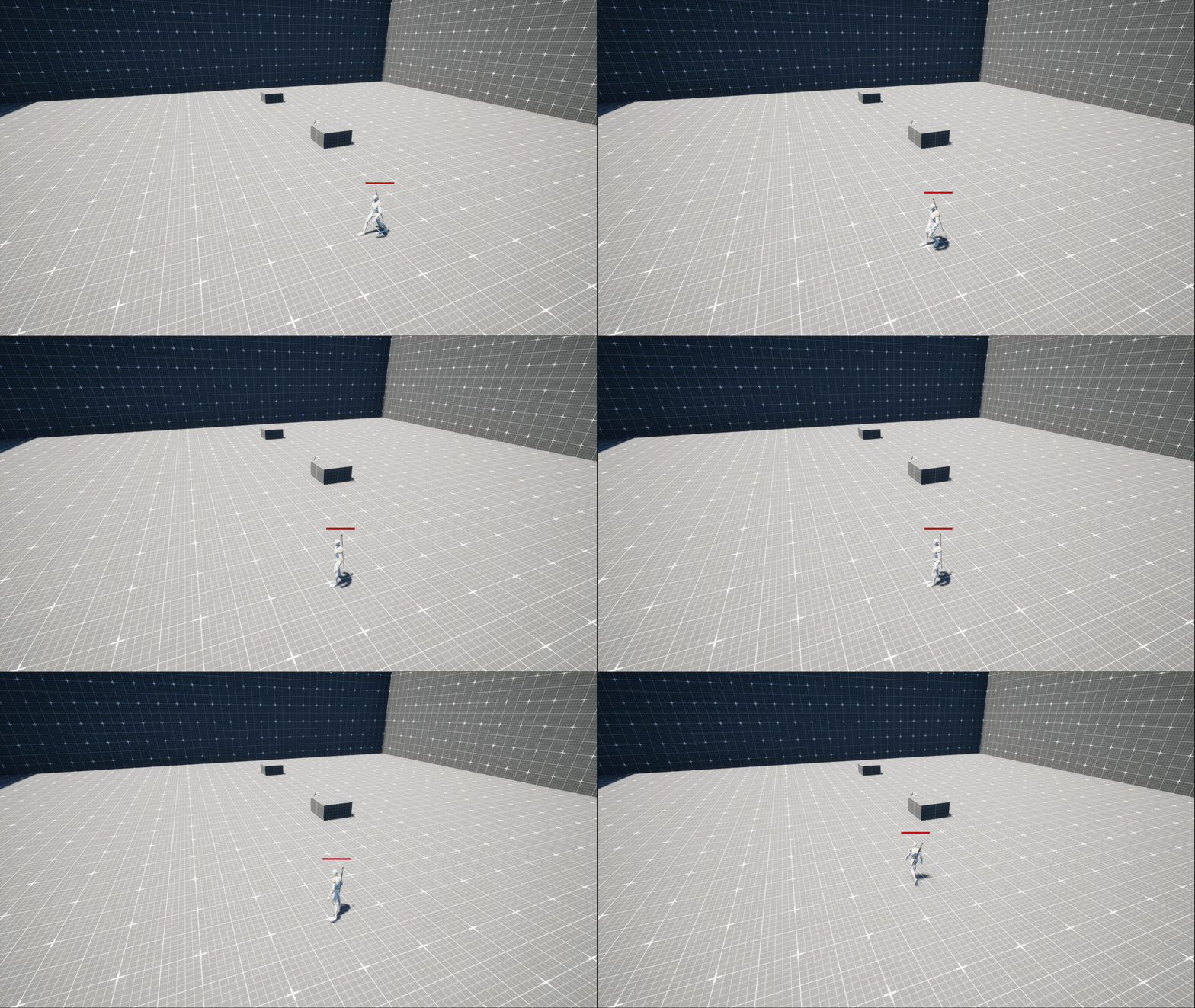
⚙ STATE MACHINE BREAKDOWN
Each state defines a distinct set of behaviours, triggers, and exit conditions. The transitions between states form the core of the AI's perceived intelligence.
State 01
🚶
PATROL
The AI's default resting state. It moves along its assigned spline in a continuous loop, scanning its surroundings passively. No player awareness. The AI is calm, predictable, and approachable - a window for the player to observe and plan.
▶ Trigger: Default / Alert meter = 0
Exit: Player enters detection range → transitions to HALT
AI Patrolling
State 02
HALT
The AI stops moving and fixates on the detected stimulus. It hesitates - something caught its attention. Movement pauses while the AI processes what it saw. This brief window is the player's last easy escape.
▶ Trigger: Player spotted in detection range
Exit: Alert meter begins filling → transitions to ALERT
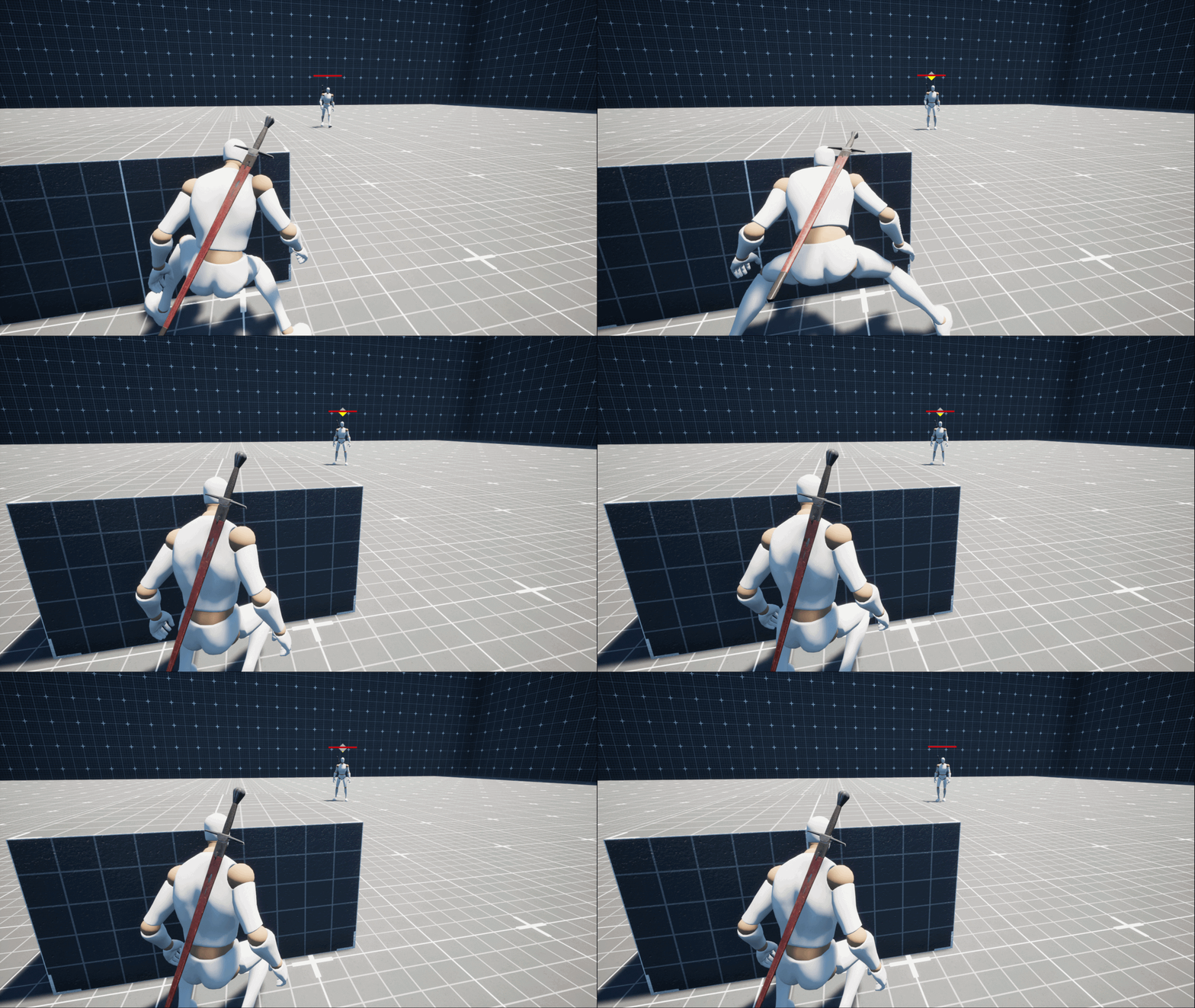
Alert meter - early stage
AI Halting
State 03
👁️
ALERT
The AI is actively suspicious and tracking the player. The alert meter fills as long as the player remains in sight. Once full, the combat meter begins filling. If the player breaks line of sight here, the AI shifts to Investigation instead of combat. The speed of filling is calculated based on player distance to AI.
▶ Trigger: Alert meter filled from HALT
Far → Slow fill Close → Fast fill
Alert meter — rate scales with proximity
AI is getting Alerted
State 04
⚔️
COMBAT
Full engagement. The AI moves directly toward the player's position and initiates attack behaviour. No hesitation, no backing down. The encounter has fully escalated. The player must fight or the situation resolves only through AI defeat.
▶ Trigger: Combat meter reaches 100%
Behaviour: Pursue player → attack → repeat until combat ends
Combat meter - full
AI goes into Combat mode
State 05
🔎
INVESTIGATE
The player has hidden before combat fully triggered. The AI moves to the last known player position and scans. Alert meter drains over time. If the meter reaches zero, the AI gives up and returns to patrol. If the player is spotted again, escalation resumes.
▶ Trigger: Player hides before combat meter = 100%
Exit A: Alert meter drains → returns to PATROL
Exit B: Player spotted again → re-escalates to ALERT
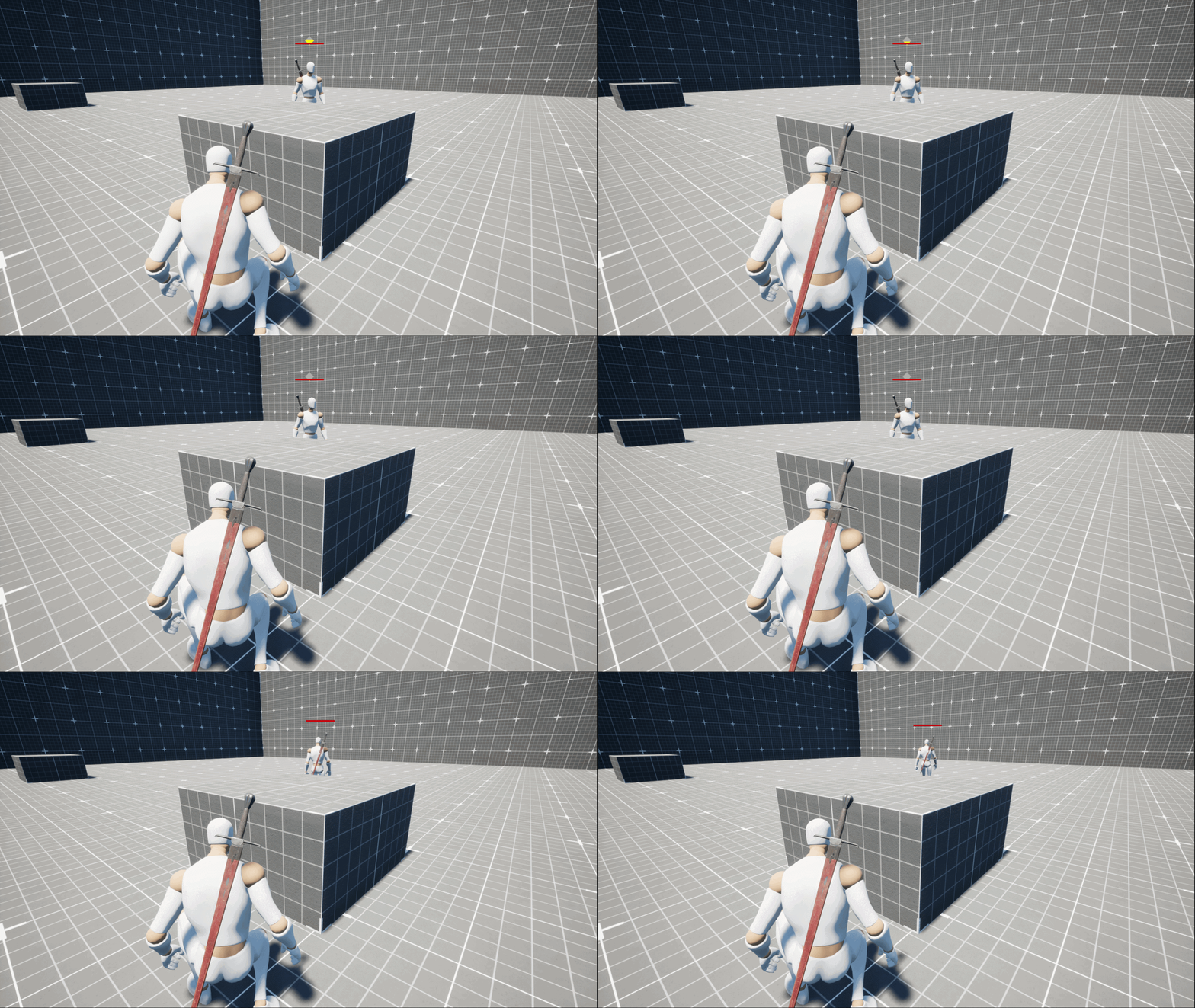
Alert meter - draining
AI Investigating
⚙ STATE TREE STRUCTURE ⚙
🌳 UNREAL ENGINE STATE TREE
Each state in the State Tree corresponds directly to one of the five behaviours. The Root node evaluates conditions on each tick and routes to the correct branch based on the AI State Enum stored in BPC_AIBrain.
🚶 Patrol Branch
Condition: AI State Is Idle AND AI Patrol Is True
Tasks: Get Next Patrol Point → Move To Spline Point
Transitions: Patrol, Halt, Investigate, Combat
✋ Halt Branch
Condition: If AI State Is Halt
Tasks: STT Set Character Input State Actor
Transitions: Patrol, Combat, Investigate
🔎 Investigate Branch
Condition: If AI State Is Investigation
Tasks: Get Investigation Point → Move To Parameters.StimulusLocation → Wait At Point
On Arrive Success: → Halt  |  On Fail: → Root
⚔️ Combat Branch
Condition: If AI State Is Combat
Tasks: Unsheath Sword (if not sheathed) → Chase (Move To Player_Reference) → Attack → Wait 3s → Root
Chase Fail: → Root
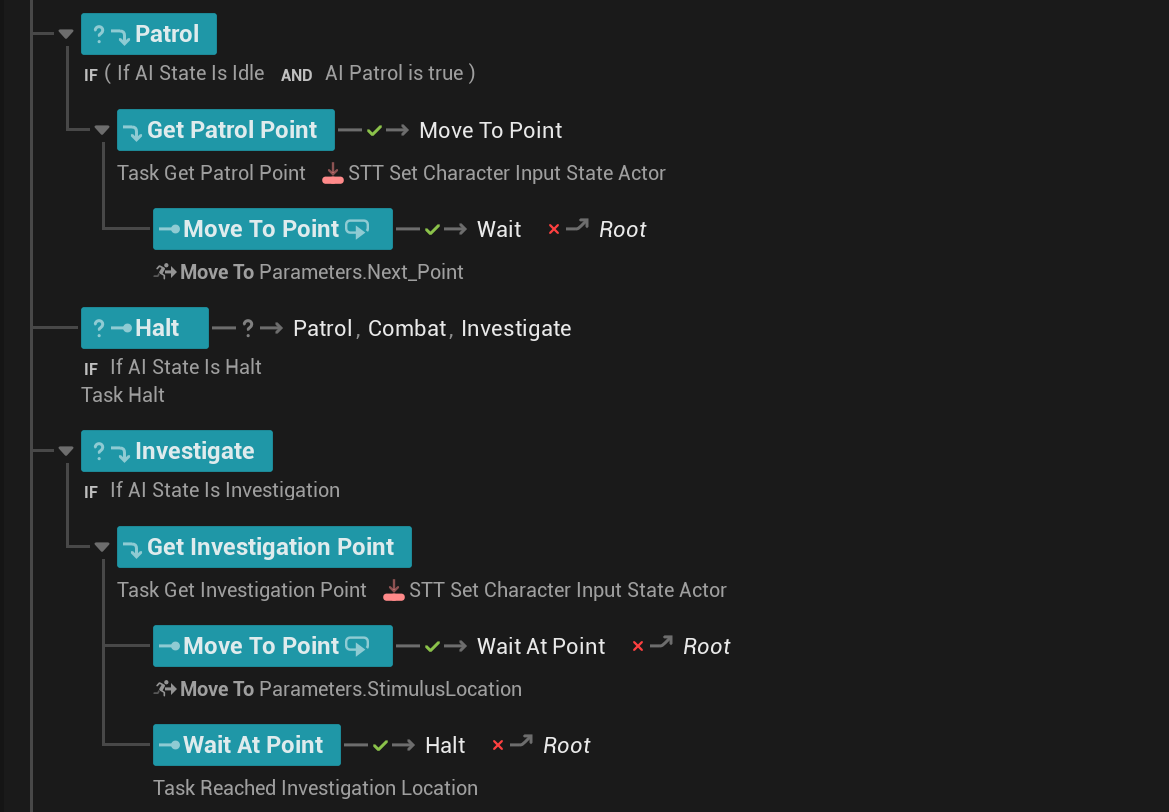
📸 STATE TREE IN UNREAL ENGINE
State Tree Patrol, Halt
State Tree - Patrol, Halt and Investigate branches with tasks
State Tree Combat
State Tree - Combat branch: Unsheath → Chase → Attack → Wait
Blueprint showing next point
Blueprint graph - AI State Enum condition driving Next Patrol Point logic via BPC_AIBrain
The Modular Architecture
All conditions read the AI State Enum from a custom Blueprint component (BPC_AIBrain) via a custom STT (State Tree Task). The State Tree never owns logic - it only reacts to what BPC_AIBrain reports. Any system (perception, combat, animation) can update the state by writing to BPC_AIBrain, and the State Tree responds automatically.
⚙ PLAYER OPTIONS ⚙
🎯 ENGAGEMENT CHOICES
The player always has two paths when facing an AI encounter. Both are valid - each carries different risk and reward.
🗡️
Stealth Kill
Available when the AI is in Patrol or early Halt state and unaware of the player's exact position. Requires positioning and patience. Eliminates the enemy without triggering escalation. High risk, silent reward.
⚔️
Direct Combat
Available once the encounter has escalated fully to Combat state. The AI is now actively hostile and attacking. The player must fight it out. Louder and riskier, but always a valid option.
⚙ FULL BEHAVIOUR FLOW
This diagram traces every possible path through the AI's state machine - from initial patrol through all escalation and de-escalation branches.
🚶 PATROL
Moving along assigned spline
Player enters detection range
✋ HALT
AI stops - alert meter begins filling
Alert meter fills completely
👁️ ALERT
Tracking player - combat meter starts filling
Player hides
↓ before 100%
Combat meter
reaches 100% ↓
🔎 INVESTIGATE
Move to last known location
Alert drains to 0
🚶 Return to PATROL
Player spotted again
👁️ Re-escalate to ALERT
⚔️ COMBAT
Move to & attack player
Player stealth kills (pre-combat)
🗡️ Enemy Eliminated
Player engages directly
⚔️ Direct Combat Resolves
⚙ METER LOGIC ⚙
📊 HOW THE METERS WORK
The two-meter system is the backbone of the escalation design. It creates a readable, tense window of opportunity for the player.
🟡 Alert Meter
Begins filling the moment the AI spots the player in HALT state. Fills continuously as long as the player remains in detection range. Once full, it transitions the AI to ALERT and begins filling the Combat meter. Drains over time during Investigation if the player stays hidden. Returns AI to Patrol when it hits zero.
📏 Distance Modifier
Player distance directly affects how fast both meters fill. The closer the player is to the AI, the faster the Alert and Combat meters escalate — rewarding players who keep their distance and punishing those who linger nearby. At maximum detection range, meters fill slowly, giving more time to react. Up close, escalation is near-instant.
🔴 Combat Meter
Starts filling only after the Alert meter has fully filled (during ALERT state). Represents the AI locking in on the player and committing to an attack. If the player hides before this meter reaches 100%, the AI enters Investigation rather than Combat. Once at 100%, the AI enters Combat unconditionally.
The Design Intent
The two-stage meter sequence creates a clear, readable tension arc. Players can see how close an encounter is to fully escalating, and they have a concrete decision point: engage now, hide now, or let it escalate. This makes encounters feel fair and strategic rather than arbitrary.

Distance Scaling: Proximity accelerates both meters. A player spotted at close range escalates to Combat far faster than one seen from the edge of detection range - adding a spatial dimension to every encounter.

⚙ DESIGN PILLARS ⚙
🏛️ CORE DESIGN PRINCIPLES
Four pillars guided every state, transition, and interaction in the Basic AI system. They define the philosophy behind how the AI feels to play against.
1
Readability
The player should always understand what state the AI is in and why. Distinct states with clear behavioural signatures - patrol movement, halt freeze, active tracking, aggressive pursuit - mean the AI is never a black box. Players can predict and react.
2
Player Agency
No encounter is forced. The two-meter system always gives players a decision window: hide now, engage now, or let escalation happen. Stealth kill or direct combat are both valid resolutions. Players feel in control of how each encounter unfolds.
3
Graduated Tension
Encounters build, they don't snap. Patrol → Halt → Alert → Combat is a crescendo, not a switch. Each stage raises the stakes incrementally, giving players time to feel the pressure mount and make meaningful decisions under tension rather than reacting to sudden surprises.
4
Consequence Without Punishment
Being spotted isn't an instant fail state. It's the start of a challenge. The investigation phase and the combat meter drain system ensure that skilled players can recover from detection. The AI is persistent but not unfair - hiding well is always rewarded.
⚙ SYSTEMIC CONNECTIONS ⚙
🔗 HOW THE SYSTEMS INTERACT
The Basic AI isn't just a state machine - it's a system where each component feeds into the next to create a coherent experience.
PATROL SPLINE
(Defines movement pattern & timing)
Player Observes Patrol → Identifies Window to Act
Detection Triggers Halt → Alert Meter Begins
Player Decision: Hide or Let It Escalate
Investigate (Recoverable) OR Combat (Committed)
Stealth Kill / Direct Combat / Escape to Patrol Reset
(Every encounter can resolve differently based on player timing)
How This Creates Depth:

Spline as Strategy: The patrol route is information. Players who observe patterns can exploit gaps, time stealth kills, or predict when the AI will face away.

Meter Transparency: The two visible meters turn AI detection into a readable mini-game. Players aren't guessing - they're making informed decisions under pressure.

Investigation as Consequence: Getting partially spotted isn't a failure - it's a new challenge. The investigation state rewards players who react quickly and punishes those who panic.

Dual Resolution Paths: Stealth kill and direct combat serve different playstyles. Neither is mechanically superior in all situations, which means both remain valid throughout gameplay.

⚙ DESIGN LEARNINGS ⚙
💡 KEY INSIGHTS FROM BUILDING THE BASIC AI
Learning 1: State Clarity Is More Important Than State Complexity
Five states might seem simple, but the value of this system is that each state is immediately readable. Players intuitively understand the AI's intent at every moment. Adding more states risks muddying that clarity - a lesson in restraint. A smaller number of well-defined states beats a larger number of ambiguous ones.
Learning 2: Two-Stage Detection Creates Player Empowerment
A single instant-detection system would make every encounter feel punishing. The Halt-then-Alert-then-Combat escalation gives players agency over the outcome. They feel the pressure mount, make a decision, and live with it. Detection as a process - not an event - turns encounters into gameplay rather than accidents.
Learning 3: The Investigation State Is the Most Valuable State
Without Investigation Mode, detection is binary: either you're safe or you're in combat. The investigation state creates a middle zone of active tension - the player is hiding, the AI is searching, and the outcome is still in play. Recoverable failures are dramatically more interesting than hard failures.
Learning 4: Patrol Splines Are Player-Facing Design, Not Just AI Logistics
The patrol route isn't just about where the AI goes - it's the first information the player receives. Thoughtful spline placement creates natural choke points, observable timing windows, and stealth opportunities. Patrol design is encounter design.
Learning 5: The Last Known Location Mechanic Changes Everything
Moving to the last known location during investigation means breaking line of sight isn't enough - players need to relocate quickly and intelligently. This single mechanic transforms hiding from a passive action into an active spatial challenge. Memory-based AI behaviours elevate tension without increasing complexity.
Learning 6: No Retreat Behaviour Is a Conscious Design Boundary
Choosing not to implement flee or retreat behaviour keeps the AI's role clear: it is a threat that escalates, not a character that weighs self-preservation. For a basic AI system, this focus prevents scope creep. Knowing what your system is not is as important as knowing what it is.